
Turn an old Android phone into a desk panel for your computer (Windows, Linux or macOS): 138 widgets, a visual layout editor, AI coding sessions and quotas, music, a Control Deck, webhooks and rules. This is the real panel of MODULYX 1.2.0 running in your browser with made-up data — swipe it, tap it.
Changes you make in the layout editor show up here right away. Everything stays in your browser.
138 widgets, 30 templates
Smart Stack, clocks, weather, calendars, media, gauges, charts, processes, Docker / Podman, OBS, Home Assistant, timers, checklists, markets… on a 12 × 6 grid, as many pages as you like. The demo opens with 5 ready-made pages; add any of the other templates from the editor.
AI coding at a glance
Claude, Codex and Antigravity quotas with a burn-rate forecast, Claude Code, Codex and OpenCode sessions, GitHub reviews, and Allow / Deny for permission prompts from Claude Code and OpenCode right on the phone.
Control Deck
App and device volume, microphone, media, OBS, tasks, dev servers and display brightness as touch controls. The phone sends IDs only; commands stay on the computer. The native audio and display controls are Windows-only.
Webhooks and rules
Scripts, CI and Home Assistant push values and notifications with one curl; rules switch pages calmly when a call, music or a waiting AI session needs the screen.
USB or Wi-Fi, no cloud
Over the USB cable, or over Wi-Fi / Tailscale with a pinned certificate and a key. No accounts, no telemetry: see the privacy policy.
Download the Android app
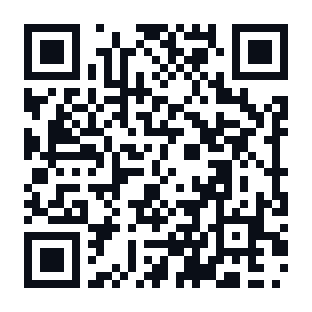
MODULYX 1.2.0 for Android 5.0+ · 3.0 MB · Download APK
On the phone or tablet: scan the code, or open the link.
SHA-256: 640a504185e1a80a06c9bddc132b812d5bf6618ee9ee86b821509229a3492500
- MODULYX 1.2.0 is an independent app (
app.modulyx.panel), signed with the MODULYX release key. It installs next to PhoneBox if you have it; the two do not interfere. - Allow “install unknown apps” for your browser or file manager the first time. Android may warn about apps outside the Play Store.
- It pairs with the MODULYX agent on the computer: install it with the command below, then connect over USB or Wi-Fi.
Install on Windows
In a normal PowerShell window (not as administrator):irm https://getmodulyx.vercel.app/setup.ps1 | iex
The script checks the download against its SHA-256, installs for your user only, and adds a Start-menu shortcut. Read it first. Windows 10/11, 64-bit.
Then connect the phone: USB guide (step by step) · or pair over Wi-Fi from the settings. MODULYX fetches adb by itself, so USB needs nothing else installed.
MODULYX is a rebranded build of the open-source PhoneBox project by ersinkoc (MIT licence).